Introduction
It started with one game. At the end of September I pushed a little lane defense game, then a camping tycoon, then a toy collecting game for kids, and somewhere around the fourth one I realized I was not building "a game" anymore, I was building a collection. That collection is now called Gameroom and it lives at gameroom.jageticbojan.com.
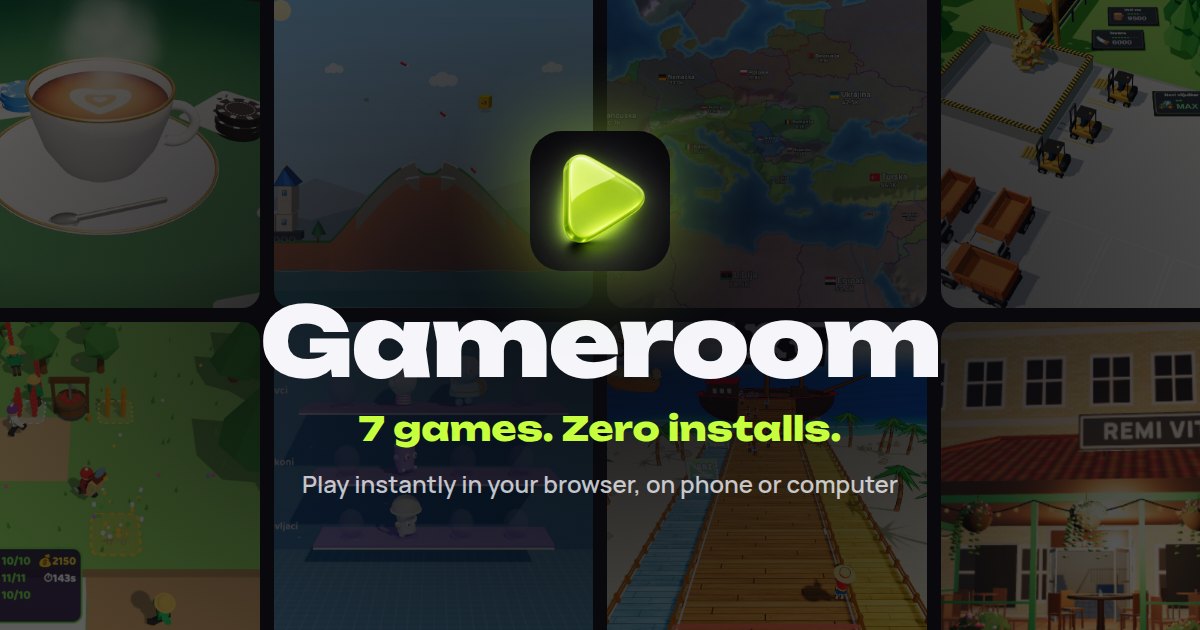
Today there are eight games in it:
- Sawmill Tycoon (Pilana Tajkun) - 3D idle tycoon, the biggest one by far
- Cargo Hub - 3D idle logistics hub, trucks hauling crates around a ring road
- Camp Tycoon - 3D building tycoon
- Monster Lane - 3D action, waves of monsters
- Smash the Towers - rockets and castles falling apart
- Conquer the World - strategy on a real world map
- Surprise Toys - relaxed 3D collection game for kids
- Remi Vita - a rummy score sheet with a 3D café card table
In this first part I want to go through the architecture, because the most interesting decision was a boring one: there is no build step. In part two I will go into performance on a cheap Android phone, testing and shipping the games to Google Play.
Why no build step?
Every game is a single games/<slug>/index.html file. No bundler, no framework, no npm run build. Vercel serves the repo root as static files with the Other preset and no build command, and a push to main goes straight to production.
I know how that sounds, but for this kind of project it is honestly great:
- I open the file, change something, refresh. That is the whole loop.
- There is nothing to upgrade, nothing that breaks because some plugin got a major version bump.
- Each game is completely independent, so breaking one game can not break the others.
- Later, when I wrapped the games as Android apps, packing was literally "copy the folder".
The cost is that the files get big. Sawmill Tycoon is over 10,000 lines in one HTML file at this point, Surprise Toys is around 5,000. That is why the project has a pretty strict docs structure (more on that in part two), because nobody, human or AI agent, should read a 10k line file top to bottom just to change one button.
For local development there is a tiny static server with zero dependencies, which serves the repo root the same way Vercel does (trailing slash redirect, index.html for folders):
// serve.mjs - no dependencies on purpose createServer((req, res) => { const url = new URL(req.url, 'http://localhost'); const file = normalize(join(root, decodeURIComponent(url.pathname))); if (!file.startsWith(root)) { res.writeHead(403).end(); return; } // directory -> redirect to "/" and serve index.html, otherwise stream the file }).listen(port, '127.0.0.1');
npm start and you are on http://127.0.0.1:4173/. Installing anything is only needed for tests.
Three.js without a bundler
The obvious question is how do you use Three.js without a bundler. The answer is import maps. Three.js r170 is vendored inside shared/vendor/three-0.170.0/ together with the addons I actually use (GLTFLoader, meshopt, BufferGeometryUtils, SkeletonUtils, RoomEnvironment), and every game maps it at the top:
<script type="importmap"> { "imports": { "three": "../../shared/vendor/three-0.170.0/build/three.module.min.js", "three/addons/": "../../shared/vendor/three-0.170.0/examples/jsm/" } } </script> <link rel="modulepreload" href="../../shared/vendor/three-0.170.0/build/three.module.min.js">
Inside the game you just write import * as THREE from 'three' like in any normal project. A nice side effect is that the games share the same file, so the browser caches Three.js once instead of downloading it per game. Surprise Toys is the odd one out, it still runs on an older r128, but even there moving Three.js out of the HTML into a cached vendor file took the page from 860 KB down to 257 KB.
The only catch: modules do not work over file://, so you need a server even locally. That is what serve.mjs is for.
The shared folder
The rule in the repo is simple: if a function would be used by at least one more game, it goes into shared/ as plain JS, not into the game. Over time that folder became a small engine:
gameroom-sdk.js- the only path to ads and analyticsgameroom-i18n.js- English by default, Serbian as an optiongameroom-three.js- geometry baking and an adaptive quality controllergameroom-fx.js- particles, all of them in a single draw callgameroom-audio.js- audio bus with compressor, sfx/music/ambient channels, mute stored in localStoragegameroom-music.js- quiet procedural music (shanty, camp, march, cafe "songs")gameroom-post.js- HDR render, bloom, ACES tone mapping, color grading, vignettegameroom-sky.js- sky with sun glow and day/night keyframes
None of these are big, the largest is the SDK at about 370 lines. But together they mean a new game starts with sound, post processing, translations and the ad layer basically for free.
One SDK, many adapters
This is the part I am most happy with. Games never talk to an ad network or a game portal directly. They only call window.Gameroom, and the SDK decides at runtime which adapter to use:
Gameroom.init({ game: 'pilana-tajkun', version: '1.0', kids: false }); Gameroom.gameplayStart(); // real play starts if (Gameroom.rewardedAvailable('boost')) showBoostButton(); const watched = await Gameroom.showRewarded('boost'); // true = give the reward Gameroom.track('upgrade_bought', { id: 'saw' }); Gameroom.on('adStart', () => audio.mute());
The adapter is picked in this order: a ?ads= query param wins, then the Android/iOS app (Capacitor) gets the AdMob adapter, then CrazyGames or Poki by hostname, and otherwise none. The none adapter is really small and that is the point:
var none = { name: 'none', init: function () { return Promise.resolve(); }, start: function () {}, stop: function () {}, rewardedReady: function () { return false; }, rewarded: function () { return Promise.resolve(false); }, midgame: function () { return Promise.resolve(false); }, };
A game must work exactly the same with every adapter, including when an ad fails or is blocked. If there is no ad, the "watch an ad for X" button simply does not show up, and progress is never locked behind it.
There is also a test adapter (?ads=test) which draws a fake overlay: a rewarded ad pays out after 3 seconds, closing it early pays nothing. That made it possible to test the whole reward flow in a normal browser and in Playwright, without any real ad network.
A few rules are enforced inside the SDK itself, not left to each game:
- rewarded ads are always the player's choice
- full screen ads only at natural pauses, with a grace period at the start of a session and a minimum gap between two of them
- kids' games (Surprise Toys and Conquer the World) get no personalised ads, an anonymous id that lives only for the session, and no real-money store at all
Later the same SDK got a small store API (storeAvailable, products, purchase) with the same idea: a fake checkout with ?store=test, Google Play Billing inside the Android app, and nothing anywhere else.
Translations without a library
All the games started in Serbian. On October 10th I switched everything to English by default with Serbian as an option. gameroom-i18n.js is a classic script (not a module) so both module code and plain scripts can use it, and the language is picked like this: ?lang= in the URL, then a saved choice in localStorage (shared across the whole site), then the browser language, where sr, hr, bs, sh and cnr map to Serbian and everything else to English.
const I = GameroomI18n; I.add({ en: { play: 'Play', coins: ({ n }) => `${n} coins` }, sr: { play: 'Igraj', coins: ({ n }) => `${n} ${I.plural(n, 'novčić', 'novčića', 'novčića')}` }, }); I.t('coins', { n: 3 }); I.apply(); // fills every data-i18n element on the page
Serbian plurals are a bit annoying (one form for 1, another for 2 to 4, another for 5 and up), so plural() is there from the start.
The landing page is just an array
The landing page (index.html) has a video hero, a bento grid and a trailer, but the content is driven by one GAMES array. Each entry has a slug, English and Serbian title and description, tags, accent colors, an emoji and optionally an Android download link:
{ slug: 'cargo-hub', title: 'Cargo Hub', sr: { title: 'Pretovarni Centar', /* ... */ }, cover: 'cover.jpg', hero: 'hero.jpg', accent: ['#ff8a3d', '#3d7dd8'], tags: ['3D', 'Idle', 'Tycoon'], isNew: true, android: APK('Cargo-Hub'), },
The first entry is the featured one. Adding a new game is four steps: create games/<slug>/index.html with a back link in the settings menu, add cover.jpg and hero.jpg, put an entry at the start of GAMES, and copy the docs template. Every game also got its own og.jpg (icon, title and description over the game's hero) so links look nice when shared.
Wrapping up part 1
Looking at the git history, the whole thing went from the first commit on September 25th to eight games, a shared engine, English translations and Android builds in about six weeks. I am pretty sure that would not have happened with a heavier setup, because a big part of the speed came from having nothing between me and the browser.
The flip side is that "no build step" does not mean "no engineering". The bigger the games got, the more I needed real measurements, tests and a way to keep track of bugs. That is the topic of part 2, where Sawmill Tycoon meets a budget Redmi phone.
🍻🍻 Happy coding!